16-Channel Potentiometer Expansion Module
UPOT16$97.00

Add Potentiometer to any UXP Port
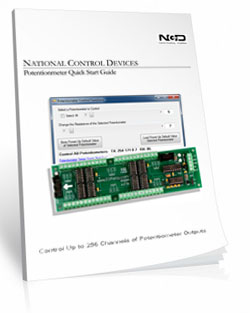
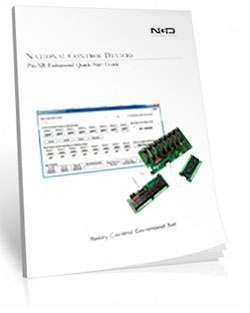
This device adds 16 programmable potentiometers in 10K, 50K, or 100K values. Each output has a programmable resolution of 256 steps. the UPOT16 Expansion Module is compatible with any NCD Fusion and ProXR controllers equipped with a UXP expansion port. This expansion is also compatible with potentiometer output controllers. Simply plug the UPOT16 into any NCD Relay board that is equipped with a UXP Port to add potentiometer output to any new or existing system.Expansion Module
This is an expansion module and must be connected to a compatible board to work. This board will NOT work on it's own.
Potentiometer Expansion Board at a Glance
- 16 Programmable Potentiometers Installed
- 256 Levels of Programmable Resistance
- Operates in the 0 - 5 Volt Range
- Maximum Current Capacity of 1ma
- 3 Contact Points for Each
- Available in 10K, 50K and 100K Resistance
- Temperature Rating -40° C to 85° C
- Expandable to 256 Potentiometers - Expansion Module
- ProXR Potentiometer or UXP Board Required
- Daisy Chain Boards Together
Expansion Board ONLY
This is an expansion board and MUST be connected to a compatible board to work. This board will NOT work on it's own.
Resistance Output
Potentiometers have 3 Connections: A, Wiper, and B. When a low value is sent to the controller, the wiper moves closer to A, decreasing the resistance between A and the wiper (increasing the resistance between the wiper and B). When a high value is sent to the controller, the wiper moves closer to B, decreasing the resistance between the wiper and B (increasing the resistance between the wiper and A). The first 48 channels of wiper values can be set to a power-up default state. It is possible to set the wipers on all outputs individually or simultaneously.Send Commands to Program the Output Resistance
You can send commands to program the output resistance of each individual output, or you program all outputs at the same time. Other commands allow you to set the startup resistance of each output. The ProXR command set allows you to send commands to activate relays, deactivate relays, control all the relays at one time, plus you can send commands that tell a relay to turn on for a few seconds, minutes, or hours. You can assign 16 timers to any of the 256 relays, and set the timers to go off after the duration has expired.Precautions
This is an expansion module and must be connected to a compatible board to work. This board will NOT work on it's own. Please keep in mind; our POT series controllers offer a resistance output, and cannot provide a voltage output of any kind without additional electronics. Integrated potentiometers are limited to applications that operate in the 0 to 5V range. Each potentiometer has a maximum current capacity of 1ma. Exceeding these rating will immediately damage the board.Power Supply Available
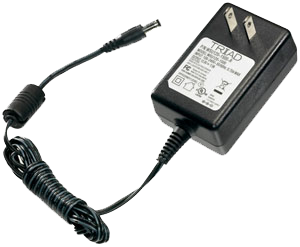 Reliable Power Means
Reliable Switching
The PWR12 is regulated power supply providing clean power necessary for the performance of these boards. The PWR12 US power supply is a 120VAC to 12VDC 1.25A 60Hz regulated power supply and it plugs into the barrel connector on the board. The output connector is a 2.1mm I.D. x 5.5mm O.D. x 9.5mm R/A barrel connector.